Spending Bitcoin Without the Honeypot: How to Use Aqua Wallet and Lightning at Square Terminals

A practical guide to private, KYC-free payments using Liquid Network and Lightning—no banks required
The KYC Honeypot Problem
Every time you hand over your ID to open a bank account, sign up for a crypto exchange, or get a debit card, your personal information enters a database. These databases are irresistible targets for hackers. Equifax (2017), Capital One (2019), and countless crypto exchanges have leaked millions of identities, Social Security numbers, and financial data.
For privacy-conscious individuals, the question isn't "what do I have to hide?"—it's "why should my grocery purchases be linked to my identity in a database waiting to be breached?"
The good news: there's now a way to spend stablecoins and Bitcoin at millions of US merchants without surrendering your identity to yet another honeypot.
The Stack: Aqua + Liquid + Lightning
Aqua Wallet is a self-custodial mobile wallet that supports Bitcoin, the Liquid sidechain, and Lightning Network. Here's why this matters for privacy:
Liquid Network
- Confidential Transactions hide transaction amounts
- Assets like L-USDT (Tether on Liquid) move faster and cheaper than Ethereum-based USDT
- Federated model offers different trade-offs than main-chain Bitcoin
Lightning Network
- Payments don't appear on the public blockchain
- Near-instant settlement
- Extremely low fees (fractions of a cent)
The Privacy Flow
- Hold USDT on Liquid (Aqua converts it automatically)
- When spending, Aqua uses Lightning for the payment
- Merchant receives value; no blockchain record of your specific transaction
- You retain self-custody—no third party holds your keys
Square's Bitcoin Acceptance Changes Everything
In late 2025, Block (Square's parent company) quietly enabled Bitcoin Lightning payments for over 4 million US merchants. This is arguably the largest expansion of Bitcoin payment acceptance in history.
How It Works (No KYC Required)
For the customer:
- Download any Lightning-enabled wallet (Aqua, Muun, Phoenix, Breez, Wallet of Satoshi, etc.)
- No registration required
- No ID verification
- No phone number or email
At the merchant:
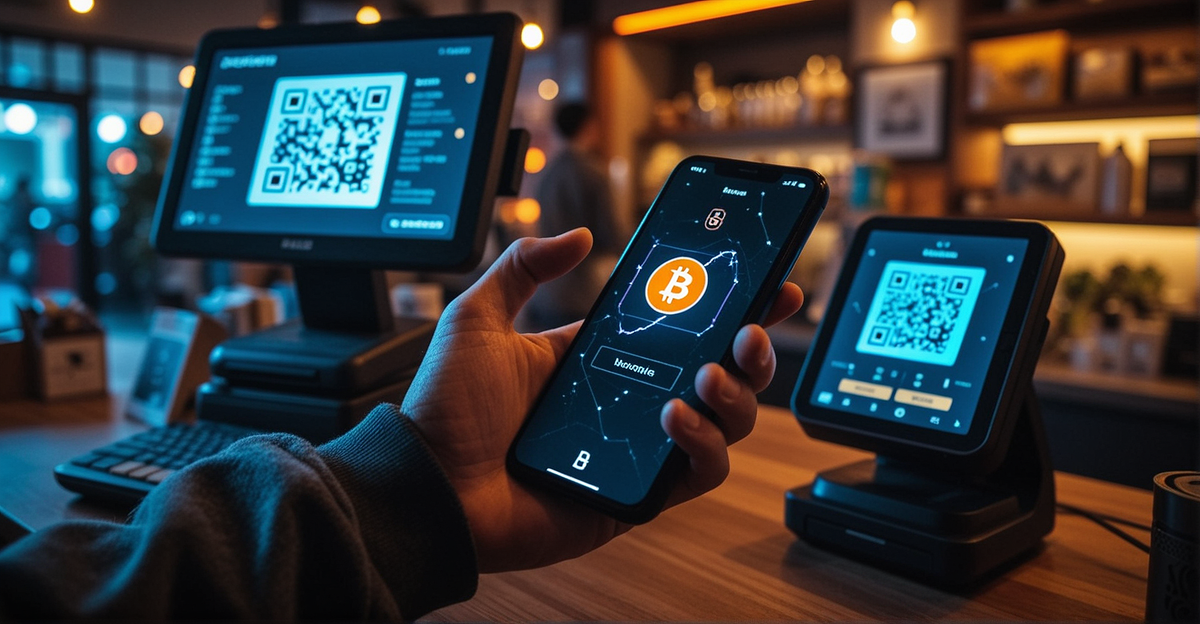
- Square POS generates a Lightning invoice (QR code)
- You scan and pay
- Merchant receives settlement (usually in USD, their choice)
- Transaction completes in under 5 seconds
Critical distinction: Only the merchant needs KYC to use Square. As the customer paying with Bitcoin, you remain pseudonymous. Your wallet doesn't know your name, and neither does the merchant's system.
Finding Merchants That Accept Bitcoin
Square merchants don't automatically have Bitcoin enabled. Here's how to find them:
Cash App Bitcoin Map (Paradoxically Useful)
Even if you don't use Cash App for payments (which requires KYC), you can use their Bitcoin Map feature to locate merchants:
- Open Cash App → Money tab → "Pay with Bitcoin"
- Browse the map for nearby Square merchants
- Note: You can pay these merchants with any Lightning wallet, not just Cash App
Direct Inquiry
Many Square merchants don't realize they have Bitcoin acceptance available. It's buried in their settings. Small cafes, farmers markets, and independent retailers are your best bet.
Limitations and Realities
Before you cut up your debit cards, understand the current limitations:
Merchant Adoption Is Early
- Most Square merchants haven't enabled Bitcoin
- Those that have may not know how to process it
- The feature is still rolling out through 2026
Geographic Restrictions
- New York residents are excluded due to BitLicense regulations
- International availability varies
Liquidity and Conversion
- Aqua converts your Liquid USDT to Lightning BTC for payments
- You're exposed to Bitcoin's volatility for the brief moment of conversion
- Merchant receives fiat, so they're protected from volatility
Not Untraceable
Lightning offers privacy from casual observers, but:
- Your channel openings/closings are on-chain
- Sophisticated analysis can correlate patterns
- For strong privacy, Monero remains superior (but with less merchant acceptance)
Security Best Practices
If you're using this setup for privacy:
- Use a dedicated wallet—don't mix your "spending" Lightning wallet with long-term savings
- Tor/VPN—route your wallet traffic through privacy networks
- Avoid phone number linking—use wallets that don't require SMS verification
- Small amounts—Lightning is for spending money, not your life savings
- Backup your seed phrase—self-custody means you're responsible for recovery
The Bottom Line
For the first time, you can walk into a mainstream US retailer and pay with cryptocurrency without:
- Registering an account
- Uploading your ID
- Linking a bank account
- Creating a profile in a hacker's target database
Your Aqua wallet holding Liquid USDT, converted through Lightning to pay at a Square terminal, represents a functional escape hatch from the KYC-everywhere financial system. It's not perfect, it's not universal yet, but it's real—and it works today.
The honeypots aren't going away. But at least now you have a choice about whether to step into them every time you buy groceries.
Ready to try it? Download Aqua wallet, load some Liquid USDT, check the Cash App Bitcoin Map for nearby Square merchants, and test the future of private payments.